
HubSpot + Parsley: Route Leads by Conversational Intent
Add conversational intent signals from Parsley to HubSpot lead routing. Route leads based on what prospects actually asked about.
Your HubSpot lead routing rules are only as good as the data they run on. Most teams route based on form fills, company size, and page views - signals that tell you who showed up but not what they care about. The result: every lead gets the same treatment regardless of intent depth.
When you add conversational intent signals to HubSpot, routing decisions change. A prospect who asked your chatbot about pricing for a 40-person team on a Q2 timeline gets routed differently from someone who browsed your homepage and left. The first needs your best closer within the hour. The second needs a nurture sequence. HubSpot can make that distinction - but only if it has the signal.
Here is how to set up lead routing in HubSpot that uses buyer intent signals from Parsley - so reps get the right leads at the right time with the right context.
Source: Harvard Business Review - Lead Response Management
The Problem: HubSpot Routing Without Intent Data
HubSpot's lead routing is powerful - workflows, round-robin assignment, lead scoring, deal pipeline automation. But most teams underuse it because they lack the input data to write smart routing rules.
What Most Teams Route On
| Routing input | What it tells you | What it misses |
|---|---|---|
| Form fill fields | Name, email, company, job title | Why they filled out the form |
| Lead score (behavioural) | Page views, email opens, downloads | What they are actually looking for |
| Company size/industry | Firmographic fit | Individual buying intent |
| Deal stage | Where the CRM says they are | What the prospect says they need |
| Round-robin | Whose turn it is | Who the best-fit rep actually is |
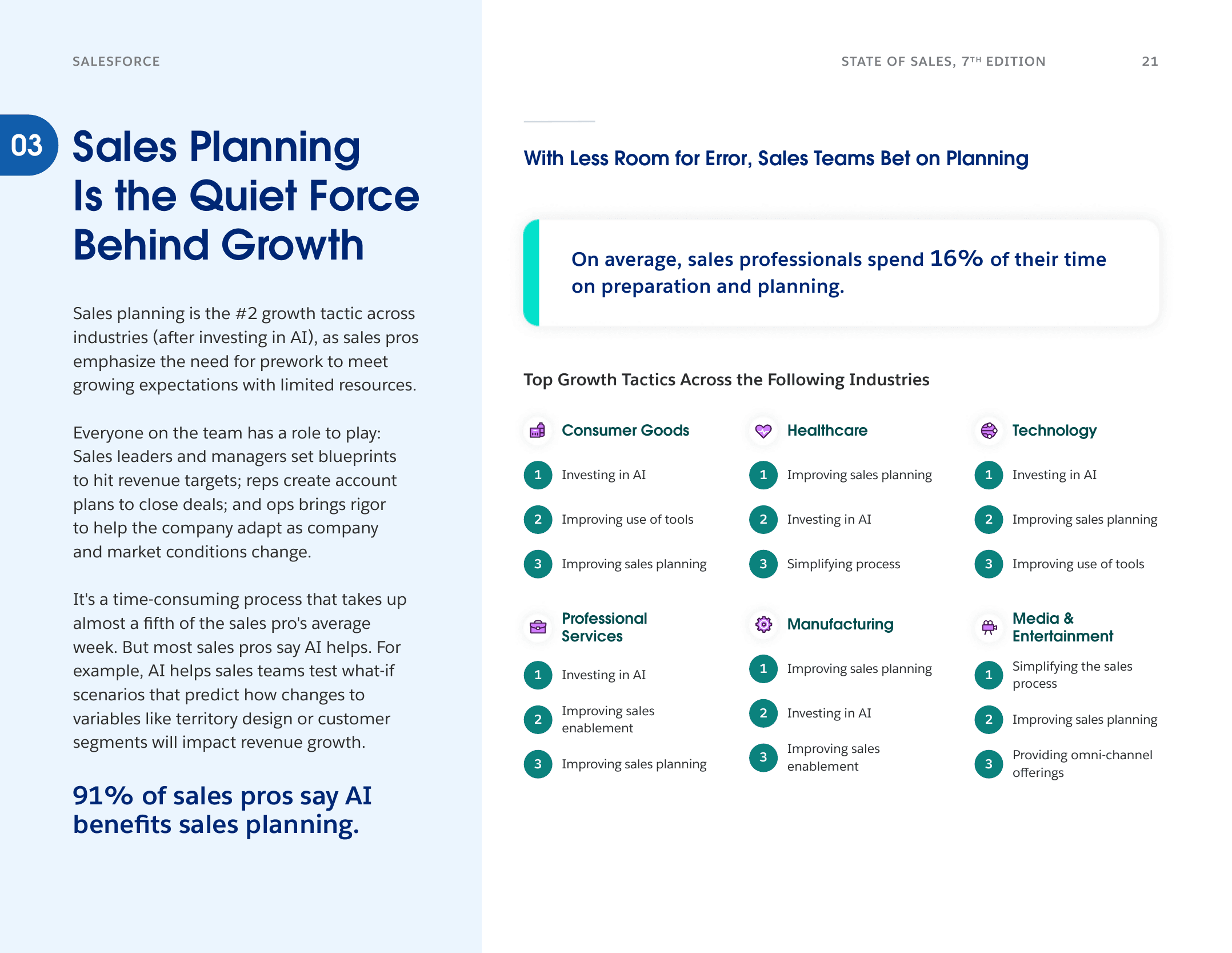
Source: Salesforce State of Sales, 7th Edition, 2026. 91% of sales pros say AI benefits sales planning.
The gap: none of these inputs reflect what the prospect asked about. A VP of Sales at a 500-person company who downloaded a whitepaper and a VP of Sales who asked detailed pricing questions for 50 reps on a Q2 deadline both look the same to HubSpot. They are not the same lead.
The Cost of Routing Blind
When routing ignores intent, three things break:
1. Hot leads cool off. A prospect with pricing and timeline signals sits in a round-robin queue while a rep finishes lunch. By the time they get the follow-up, the prospect has moved on. HBR research shows that responding within 5 minutes makes you 21 times more likely to qualify the lead versus waiting 30 minutes.
2. Reps waste time on cold leads. Without intent data, every "hot" lead looks the same on paper. Reps spend equal time on a prospect who casually browsed and one who asked about competitive differences. The result: your closers are doing triage instead of closing.
3. Follow-ups are generic. When the CRM does not tell reps what the prospect asked, every follow-up defaults to "thanks for your interest." No signal, no personalization, no relevance. Reply rates crater.
What Changes with Conversational Intent Signals
Parsley's HubSpot integration syncs structured intent data from chatbot conversations directly into HubSpot contact records. Here is what arrives:
Data That Syncs to HubSpot
| HubSpot field | Source | Example value |
|---|---|---|
| Lead quality score | AI scoring from conversation | Hot / Warm / Cold |
| MEDDIC signals detected | Passive detection from questions | "Pain: reps go into calls blind", "Timeline: need by Q2" |
| Topic classification | AI categorisation of each message | pricing, integration, competitor_comparison |
| Conversation summary | AI-generated summary | "Asked about HubSpot integration for 30-person team, pricing for annual plan, and comparison with Gong" |
| Engagement depth | Message count, session duration | 12 messages, 8 minutes |
How This Changes Routing
With these fields in HubSpot, your routing rules can now branch on intent:
Hot lead + pricing signal + timeline urgency: Route to senior AE immediately. Trigger notification in Slack. Create a deal in pipeline. Follow up within 1 hour.
Warm lead + integration questions: Route to solutions engineer or technical AE. Include conversation summary in the task. Follow up within 4 hours with integration documentation.
Warm lead + competitor comparison: Route to the rep who owns competitive deals. Attach battle card. Follow up within 4 hours with comparison content.
Cold lead + general exploration: Add to nurture sequence. No rep assignment yet. Monitor for return visits and future conversations.
Add intent signals to your HubSpot lead routing
Parsley syncs conversation summaries, MEDDIC signals, and lead quality scores to HubSpot automatically. Route leads based on what they asked, not just who they are.
Get started freeStep-by-Step: Setting Up Intent-Based Routing in HubSpot
Step 1: Connect Parsley to HubSpot
If you have not already connected the integration, follow the HubSpot setup guide. The connection takes under 5 minutes and works with every HubSpot tier, including the free CRM.
Once connected, Parsley automatically creates or updates contact records when prospects engage with your chatbot. Custom properties for lead quality, MEDDIC signals, and conversation summary are created on the first sync.
Step 2: Create Lead Quality-Based Workflows
Build three HubSpot workflows based on the Parsley lead quality score:
Workflow 1: Hot Lead Routing
- Trigger: Contact property "Parsley Lead Quality" equals "Hot"
- Action 1: Assign contact owner based on territory or round-robin (your existing assignment logic)
- Action 2: Create a task for the assigned owner - "Follow up within 1 hour. Review conversation summary and MEDDIC signals in contact record."
- Action 3: Send Slack notification to the rep (via HubSpot-Slack integration)
- Action 4: Create a deal in your pipeline at "Qualified" stage
Workflow 2: Warm Lead Routing
- Trigger: Contact property "Parsley Lead Quality" equals "Warm"
- Action 1: Assign contact owner
- Action 2: Create a task - "Review conversation and follow up within 24 hours"
- Action 3: Enrol in a personalised follow-up sequence (not generic nurture)
Workflow 3: Cold Lead Nurture
- Trigger: Contact property "Parsley Lead Quality" equals "Cold"
- Action 1: Enrol in nurture sequence
- Action 2: Set re-engagement trigger - if lead quality changes to Warm or Hot on a future conversation, move to the appropriate workflow
Step 3: Add Signal-Based Branching
Inside each workflow, add IF/THEN branches based on conversation topics:
- If MEDDIC signals contain "pricing" - route to senior AE, attach pricing materials
- If MEDDIC signals contain "integration" - route to solutions engineer or technical rep
- If MEDDIC signals contain "competitor" - route to competitive specialist, attach battle card
- If MEDDIC signals contain "timeline" - elevate priority, shorten follow-up SLA to 1 hour
Step 4: Enrich the Rep Experience
Make sure reps can see the signal without leaving HubSpot:
- Conversation summary visible on the contact record sidebar
- MEDDIC signals displayed as a custom card or in a dedicated property group
- Chatbot transcript link so reps can read the full conversation if needed
- Lead quality score visible in list views and deal board cards
Step 5: Measure and Optimise
Track these metrics weekly in HubSpot reports:
| Metric | How to measure | Target |
|---|---|---|
| Hot lead response time | Time from "Hot" score to first rep activity | Under 1 hour |
| Signal-to-meeting rate | Hot leads with meetings booked / total hot leads | 40%+ |
| Routing accuracy | Reps who say the lead was correctly assigned (survey) | 85%+ |
| Lead quality distribution | % Hot / Warm / Cold across all conversations | 15-25% Hot |
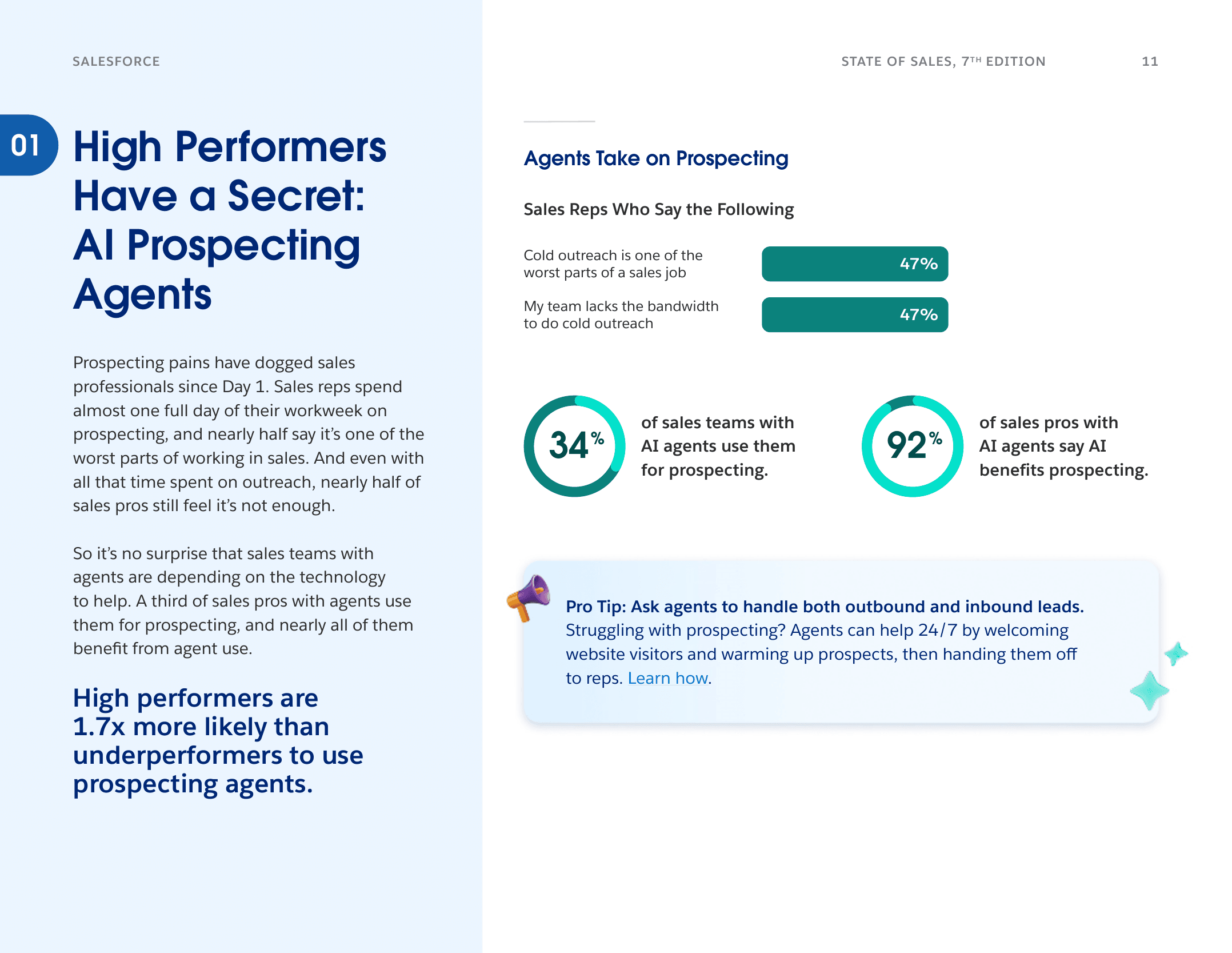
Source: Salesforce State of Sales, 7th Edition, 2026.
Real-World Routing Scenarios
Scenario 1: Enterprise Prospect Evaluating Vendors
What Parsley detects: Prospect asked about SSO requirements, data residency, pricing for 200 users, and mentioned a Q3 deadline. MEDDIC signals: Decision Criteria (SSO, data residency), Metrics (200 users), Timeline (Q3).
HubSpot routing: Hot lead. Assigned to enterprise AE. Deal created at "Qualified" stage. Task created: "Enterprise evaluation - review security and compliance docs. Follow up within 1 hour with procurement checklist."
Scenario 2: BDR Researching Solutions for Their Manager
What Parsley detects: Prospect asked general product questions - "What does Parsley do?", "How is it different from a regular lead form?" Low engagement depth (3 messages). No MEDDIC signals detected.
HubSpot routing: Cold lead. Added to nurture sequence. No rep assignment. If the same contact returns and asks deeper questions, lead quality upgrades and triggers the Warm or Hot workflow.
Scenario 3: Sales Leader Comparing Parsley to Gong
What Parsley detects: Prospect asked "How does this compare to Gong for pre-call intelligence?", asked about team pricing, and mentioned they manage a 15-person sales team. MEDDIC signals: Decision Criteria (Gong comparison), Metrics (15-person team), Champion (leading evaluation).
HubSpot routing: Hot lead. Assigned to competitive specialist. Task created with Gong battle card attached. Follow-up within 1 hour referencing the specific comparison they asked about.
Frequently Asked Questions
Does this replace my existing HubSpot lead scoring?
No - it layers on top. Your existing lead score (based on form fills, page views, and firmographics) still provides value for leads who do not engage with the chatbot. Conversational intent signals add a second scoring dimension for leads who do engage. Over time, you may find that conversation-scored leads convert at a higher rate and want to weight those signals more heavily.
What happens if a prospect talks to the chatbot multiple times?
Each conversation updates the existing contact record. The lead quality score reflects the highest-intent signals detected across all conversations. If a Cold lead returns and asks pricing questions, their score upgrades to Hot and triggers the appropriate routing workflow automatically.
How does this work with HubSpot's native chatbot?
Parsley's presales agent is different from HubSpot's native chat. Parsley answers on your LinkedIn profile and in your email threads - not your website - from your uploaded sales documents. It captures MEDDIC signals passively, which HubSpot's chat does not do. The two can coexist: use HubSpot chat for website visitors and Parsley for outbound on LinkedIn and email. Both feed into the same HubSpot contact record.
Can I use this with Salesforce or Attio instead of HubSpot?
Yes. Parsley integrates with Salesforce, Attio, and other CRMs. The routing principles are the same - use lead quality and MEDDIC signals to branch your assignment rules. The workflow builder differs by platform, but the input data is identical.
What HubSpot plan do I need?
The integration works with HubSpot Professional and Enterprise plans. You need workflow access to set up the automated routing rules described above. HubSpot Starter works for basic contact sync but does not support the workflow automation.
Route Leads Based on Intent, Not Just Identity
HubSpot routing works best when it has intent data - not just firmographics. When your routing rules can distinguish between a casual browser and a prospect with pricing questions, timeline urgency, and three MEDDIC signals, your reps stop chasing scores and start closing deals.
Parsley syncs conversational intent signals to HubSpot automatically - lead quality scores, MEDDIC signals, conversation summaries, and topic classifications. Every routing decision starts with what the prospect actually asked about.
- Automatic HubSpot sync - contact records enriched with conversation intelligence
- Lead quality scoring - Hot, Warm, and Cold based on intent signals
- MEDDIC detection - qualification signals from natural conversation, not discovery calls
- 5-minute setup - connect HubSpot, upload docs, start capturing signals
Create your free profile | See pricing | HubSpot setup guide
Related Articles:

